FloPy Documentation
3.4.2
  • Introduction
  • Tutorials
  • Examples Gallery
    • Preprocessing and Discretization
      • Triangular mesh example
      • Voronoi Grid and MODFLOW 6 Flow and Transport Example
      • Intersecting model grids with shapes
      • Creating Layered Quadtree Grids with GRIDGEN
      • ModelGrid classes demo
      • Intersecting rasters with modelgrids using FloPy’s Raster class
    • Postprocessing and Visualization
      • Plotting SWR Process Results
      • Plotting Model Arrays and Results
      • Making Cross Sections of Your Model
      • Making Maps of Your Model
    • Exporting data
      • Shapefile export demo
    • Other FloPy features
      • FloPy working stack demo
      • Computing transmissivity-weighted averages
      • Saving array data to MODFLOW-style binary files
      • Working with shapefiles
    • MODFLOW 6 examples
      • Creating a Complex MODFLOW 6 Model with Flopy
      • Model splitting for parallel and serial MODFLOW 6
      • Creating a Simple MODFLOW 6 Model with Flopy
      • Flopy MODFLOW 6 (MF6) Support
    • MODFLOW USG examples
      • MODFLOW-USG CLN package demo
      • MODFLOW-USG Freyberg demo
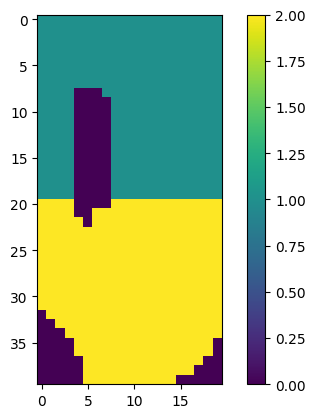
      • MODFLOW-USG: Discontinuous water table configuration over a stairway impervious base
    • MODFLOW-2005/MODFLOW-NWT examples
      • Flopy Drain Return (DRT) capabilities
      • Lake Package Example
      • Simple water-table solution with recharge
      • Postprocessing head results from MODFLOW
      • SFR package Prudic and others (2004) example
      • SWI2 Example 1. Rotating Interface
      • SWI2 Example 4. Upconing Below a Pumping Well in a Two-Aquifer Island System
      • Unsaturated Zone Flow (UZF) Package demo
    • MODPATH examples
      • Working with MODPATH 6
      • Creating a MODPATH 7 simulation
      • Using MODPATH 7 with structured grids
      • Using MODPATH 7 with structured grids (transient example)
      • Using MODPATH 7 with a DISV unstructured model
      • Using MODPATH 7: DISV quadpatch example
      • FloPy VTK/PyVista particle tracking pathline visualization demo
    • MT3D and SEAWAT examples
      • MT3D-USGS Example
      • MT3DMS Example Problems
    • Examples from Bakker and others (2016)
      • Basic Flopy example
      • Capture fraction example
    • Examples from Hughes and others (2023)
      • Watershed geoprocessing example
    • Miscellaneous examples
      • Henry Saltwater Intrusion Problem
      • ZoneBudget Example
  • Frequently asked questions
  • API Reference
FloPy Documentation
  • Examples Gallery
  • Edit on GitHub

Examples Gallery

The following examples illustrate the functionality of Flopy. After the tutorials, the examples are the best resource for learning the underlying capabilities of FloPy.

Preprocessing and Discretization

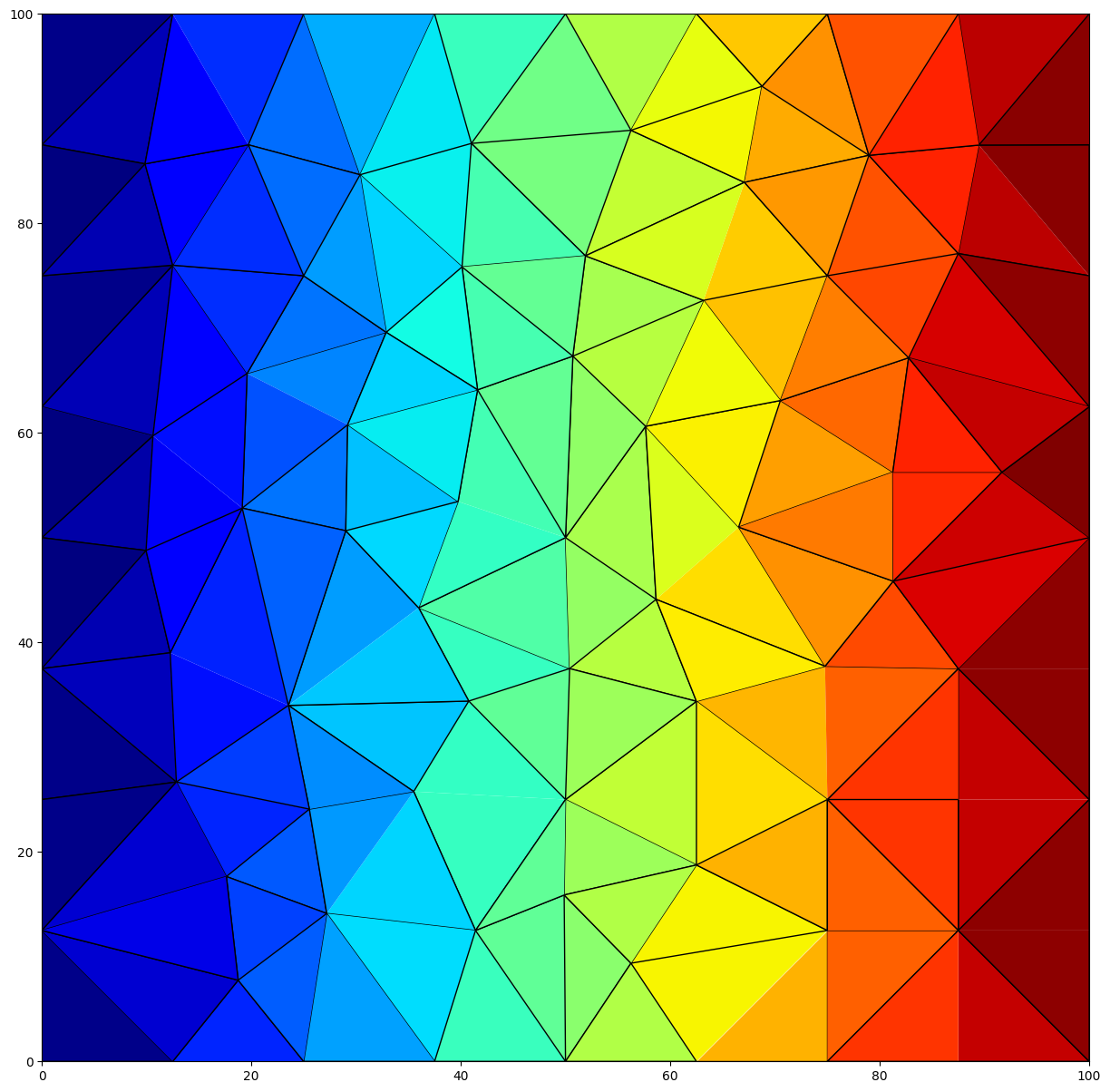
  • Triangular mesh example
    • Creating Meshes with the Triangle Class
    • Specifying Regions with Different Triangle Sizes
    • Identifying Boundary Cells
    • Cell Attributes
    • Building a Simple MODFLOW 6 Model
  • Voronoi Grid and MODFLOW 6 Flow and Transport Example
    • Use Triangle to Generate Points for Voronoi Grid
    • Create and Plot FloPy Voronoi Grid
    • Use the VertexGrid Representation to Identify Boundary Cells
    • Create Run and Post Process a MODFLOW 6 Flow Model
    • Create Run and Post Process a MODFLOW 6 Transport Model
      • Building Voronoi Grid Examples
    • Irregular Domain Boundary
    • Simple Rectangular Domain
    • Circular Grid
    • Circular Grid with Hole
    • Regions with Different Refinement
    • Regions with Different Refinement and Hole
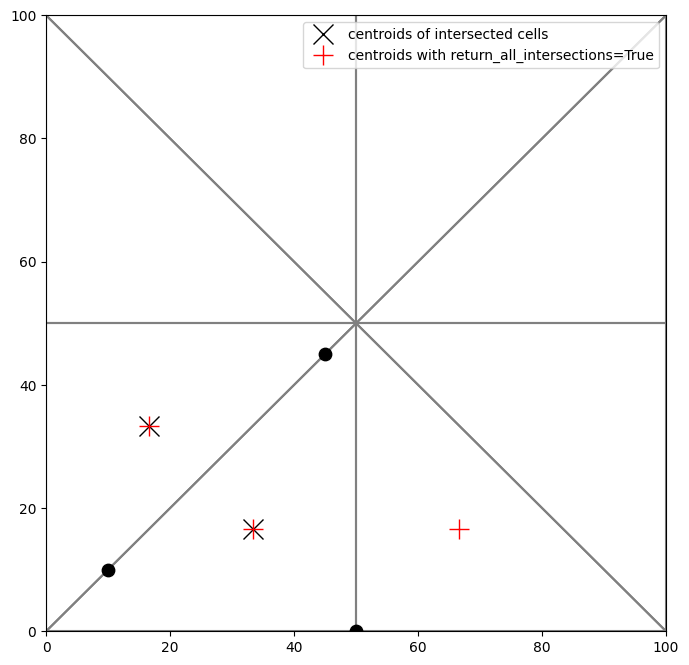
  • Intersecting model grids with shapes
    • Table of Contents
      • GridIntersect Class
      • Rectangular regular grid
    • Polygon with regular grid
    • Polyline with regular grid
    • MultiPoint with regular grid
      • Vertex Grid
    • Polygon with triangular grid
    • LineString with triangular grid
    • MultiPoint with triangular grid
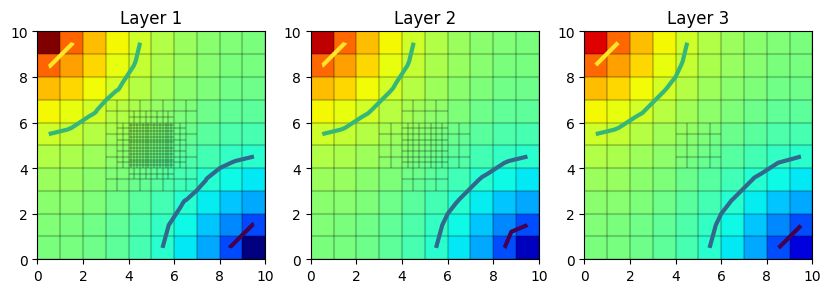
  • Creating Layered Quadtree Grids with GRIDGEN
    • Import Modules and Locate Gridgen Executable
    • Basic Gridgen Operations
      • Setup Base MODFLOW Grid
      • Create the Gridgen Object
      • Add an Optional Active Domain
      • Refine the Grid
      • Plot the Gridgen Input
      • Build the Grid
      • Plot the Grid
      • Create a Flopy ModflowDisu Object
      • Intersect Features with the Grid
      • Plot Intersected Features
    • Use Gridgen to Build MODFLOW 6 DISV Model
    • Use Gridgen to Build MODFLOW 6 DISU Model
    • Use Gridgen to Build MODFLOW-USG DISU Model
  • ModelGrid classes demo
    • The three modelgrid classes StructuredGrid, VertexGrid, and UnstructuredGrid will be demonstrated in this notebook.
      • This notebook will cover:
    • Accessing the modelgrid and common usage
      • How to access the modelgrid object from a model
        • Modflow-2005 example
        • Modflow-6 example
      • Accessing and setting modelgrid reference information
        • Accessing modelgrid reference information
        • Setting modelgrid reference information
      • Using the modelgrid with plotting routines
    • Building modelgrid objects from scratch
      • StructuredGrid example
        • In this example, some of the more common parameters are used to create a ``StructuredGrid``
        • Plot some of the modelgrid information
        • Plot a CrossSection of the structured grid
      • VertexGrid example
        • Building the VertexGrid
        • In this example, some of the more common parameters are used to create a ``VertexGrid``
        • Plot some of the modelgrid information
        • Plot a CrossSection of the vertex grid
      • UnstructuredGrid example
        • Building the UnstructuredGrid
        • In this example, some of the more common parameters are used to create a ``UnstructuredGrid``
        • Plot some of the modelgrid information
        • Plot a CrossSection of the unstructured grid
    • Useful methods and properties of the modelgrid classes
      • Common properties
        • Grid info properties
        • Spatial reference properties
        • Model discretization properties
      • Common methods
        • Overview of methods
        • set_coord_info()
        • get_coords()
        • get_local_coords()
        • intersect()
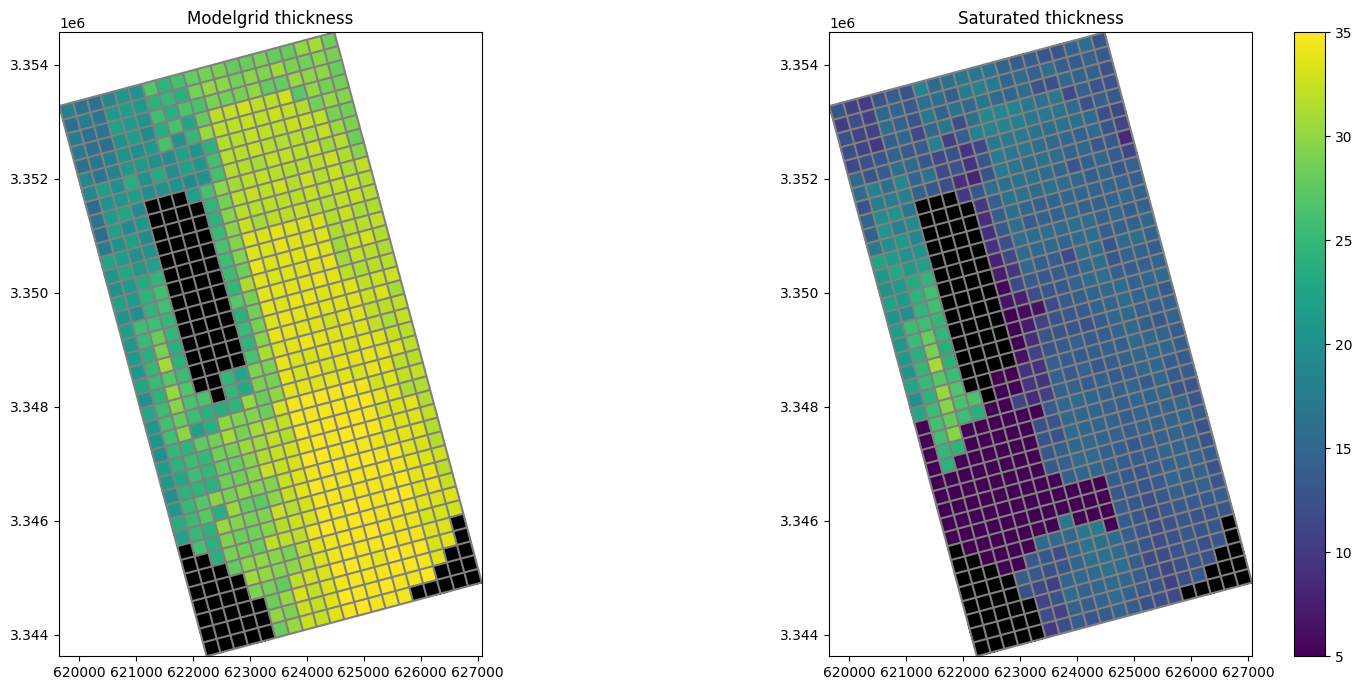
        • saturated_thickness()
        • write_shapefile()
  • Intersecting rasters with modelgrids using FloPy’s Raster class
    • Raster files can be loaded using the Raster.load method
      • Intersecting and resampling a data using the FloPy ModelGrid
    • Structured Grid Example
      • Vertex and Unstructured grid example
      • Sampling points, Cropping, and performing intersections using raster data
    • Sampling points or a cross section from the raster
      • Sampling all points within a polygon in the raster
      • Cropping and resampling to a modelgrid
      • Arbitrary-shaped model boundaries
      • Future development
Triangular mesh example
Voronoi Grid and MODFLOW 6 Flow and Transport Example
Intersecting model grids with shapes
Creating Layered Quadtree Grids with GRIDGEN
ModelGrid classes demo
Intersecting rasters with modelgrids using FloPy’s Raster class
Postprocessing and Visualization

  • Plotting SWR Process Results
    • Load SWR Process observations
      • Plot the data from the binary SWR Process observation file
    • Load the same data from the individual binary SWR Process files
      • Plot the data loaded from the individual binary SWR Process files.
    • Plot simulated water surface profiles
  • Plotting Model Arrays and Results
    • Load and Run an Existing Model
    • Plotting Model Data
    • Plotting three-dimensional data
      • Plotting data for a single layer
    • Plotting transient two-dimensional data
      • Plotting data for a single stress period
    • Plotting simulated model results
      • Plotting results for a single layer
    • Passing other matplotlib.pyplot keywords to .plot() methods
    • Plotting data for a package or a model
    • Plot all data for a package
    • Plot package input data for a specified layer
    • Plot all input data for a model
    • Plot model input data for a specified layer
  • Making Cross Sections of Your Model
    • Mapping is demonstrated for MODFLOW-2005 and MODFLOW-6 models in this notebook
    • Load and Run an Existing MODFLOW-2005 Model
    • Creating a Cross-Section of the Model Grid
    • Ploting Ibound
    • Plotting Boundary Conditions
    • Plotting an Array
    • Contouring an Array
    • Plotting Heads
    • Plotting a surface on the cross section
    • Plotting discharge vectors
    • Plotting a cross section from Shapefile data
    • Plotting geographic coordinates on the x-axis using the PlotCrossSection class
      • Plotting Cross Sections with MODFLOW-6 models
    • Plotting boundary conditions and arrays
    • Plotting specific discharge with a MODFLOW-6 model
      • Vertex cross section plotting with MODFLOW-6 (DISV)
    • Plotting a line based cross section through the model grid
    • Plotting Arrays and Contouring with Vertex Model grids
    • Plotting specific discharge vectors for DISV
      • Plotting using built in styles
      • Summary
  • Making Maps of Your Model
    • Mapping is demonstrated for MODFLOW-2005, MODFLOW-USG, and MODFLOW-6 models in this notebook
    • Load and Run an Existing MODFLOW-2005 Model
    • Create and Run MODPATH 6 model
    • Creating a Map of the Model Grid
      • Grid transformations and setting coordinate information
    • Ploting Ibound
    • Plotting Boundary Conditions
    • Plotting an Array
    • Contouring an Array
    • Plotting Heads
    • Plotting Discharge Vectors
    • Plotting MODPATH endpoints and pathlines
    • Plotting a Shapefile
    • Plotting GIS Shapes
      • Working with MODFLOW-6 models
    • Plotting boundary conditions and arrays
    • Contouring Arrays
    • Plotting specific discharge with a MODFLOW-6 model
      • Vertex model plotting with MODFLOW-6
    • Setting MODFLOW-6 Vertex Model Grid offsets, rotation and plotting
    • Plotting boundary conditions with Vertex Model grids
    • Plotting Arrays and Contouring with Vertex Model grids
    • Plotting MODPATH 7 results on a vertex model
    • Plotting specific discharge vectors for DISV
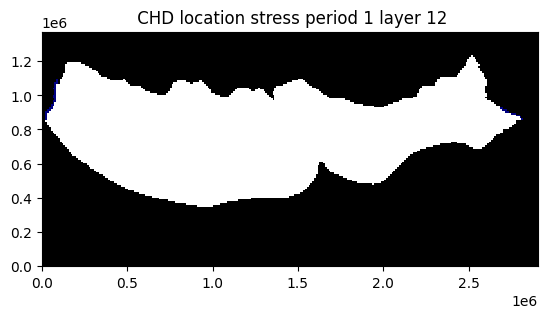
      • Unstructured grid (DISU) plotting with MODFLOW-USG and MODFLOW-6
      • Plotting using built in styles
      • Summary
Plotting SWR Process Results
Plotting Model Arrays and Results
Making Cross Sections of Your Model
Making Maps of Your Model

Exporting data

  • Shapefile export demo
    • set the model coordinate information
      • Declarative export using attached .export() methods
        • Export the whole model to a single shapefile
    • Export a package to a shapefile
    • Export a FloPy list or array object
    • MfList.export() exports the whole grid by default, regardless of the locations of the boundary cells
      • Ad-hoc exporting using recarray2shp
    • combining data from different packages
    • exporting other data
    • Adding attribute data to an existing shapefile
      • Overriding the model’s modelgrid with a user supplied modelgrid
Shapefile export demo

Other FloPy features

  • FloPy working stack demo
    • Model Inputs
    • Inspecting outputs
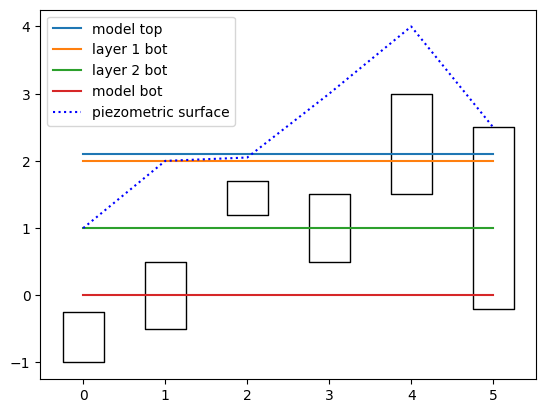
  • Computing transmissivity-weighted averages
    • Make up some open interval tops and bottoms and some heads
    • Make a flopy modflow model
    • Get transmissivities along the diagonal cells
    • Plot the model top and layer bottoms (colors)
    • example of transmissivites without sctop and scbot
  • Saving array data to MODFLOW-style binary files
  • Working with shapefiles
    • write a numpy record array to a shapefile
    • set coordinate information
    • make geometry objects for the cells with errors
    • write the shapefile
    • read it back in
      • Other geometry types
    • Linestring
      • Points
FloPy working stack demo
Computing transmissivity-weighted averages
Saving array data to MODFLOW-style binary files
Working with shapefiles

MODFLOW 6 examples

  • Creating a Complex MODFLOW 6 Model with Flopy
    • Setup the Notebook Environment
    • Create the MODFLOW 6 Input Files and Run the Model
    • Run the Simulation
    • Post-Process Head Results
    • Post-Process Flows
    • Post-Process Head Observations
  • Model splitting for parallel and serial MODFLOW 6
    • Example 1: splitting a simple structured grid model
      • Creating an array that defines the new models
      • Splitting the model using Mf6Splitter()
      • Visualize and reassemble model output
      • Array based model output can be assembled into the original model’s shape by using the reconstruct_array() method
      • Recarray based model inputs and outputs can also be assembled into the original model’s shape by using the reconstruct_recarray() method
    • Example 2: a more comprehensive example with the watershed model from Hughes and others 2023
      • Create the model
      • Split the watershed model
      • Now split the model into many models using Mf6Splitter()
      • Reassemble the heads to the original model shape for plotting
    • Example 3: create an optimized splitting mask for a model
      • Reassemble the heads and plot results
  • Creating a Simple MODFLOW 6 Model with Flopy
    • Setup the Notebook Environment
    • Create the Flopy Model Objects
    • Create the MODFLOW 6 Input Files and Run the Model
    • Run the Simulation
    • Post-Process Head Results
    • Post-Process Flows
  • Flopy MODFLOW 6 (MF6) Support
    • Conceptual model
      • flopy.mf6.MFSimulation
      • flopy.mf6.ModflowGwf
      • flopy.mf6.Modflow[pc]
    • Creating a simulation
    • Accessing namefiles
    • Specifying options
    • MFArray templates
    • Specifying MFArray Data
    • MFList Templates
    • Cell IDs
    • Specifying MFList Data
      • Specifying MFList Data in an External File
    • Packages that Support both List-based and Array-based Data
    • Utility Files (TS, TAS, OBS, TAB)
    • Saving and Running a MF6 Simulation
    • Exporting a MF6 Model
    • Loading an Existing MF6 Simulation
    • Retrieving Data and Modifying an Existing MF6 Simulation
    • Modifying Data
    • Modifying the Simulation Path
    • Adding a Model Relative Path
    • Post-Processing the Results
Creating a Complex MODFLOW 6 Model with Flopy
Model splitting for parallel and serial MODFLOW 6
Creating a Simple MODFLOW 6 Model with Flopy
Flopy MODFLOW 6 (MF6) Support

MODFLOW USG examples

  • MODFLOW-USG CLN package demo
    • Loading Example 03_conduit_confined
    • Create example 03A_conduit_unconfined of mfusg 1.5
    • Modify CLN amd WEL package to example create 03B_conduit_unconfined of mfusg 1.5
    • Modify CLN amd WEL package to example create 03C_conduit_unconfined of mfusg 1.5
    • Modify CLN amd WEL package to example create 03D_conduit_unconfined of mfusg 1.5
    • Comparing four cases
  • MODFLOW-USG Freyberg demo
  • MODFLOW-USG: Discontinuous water table configuration over a stairway impervious base
    • Model parameters
    • Create and run the MODFLOW-USG model
      • Read the simulated MODFLOW-USG model results
      • Plot MODFLOW-USG results
MODFLOW-USG CLN package demo
MODFLOW-USG Freyberg demo
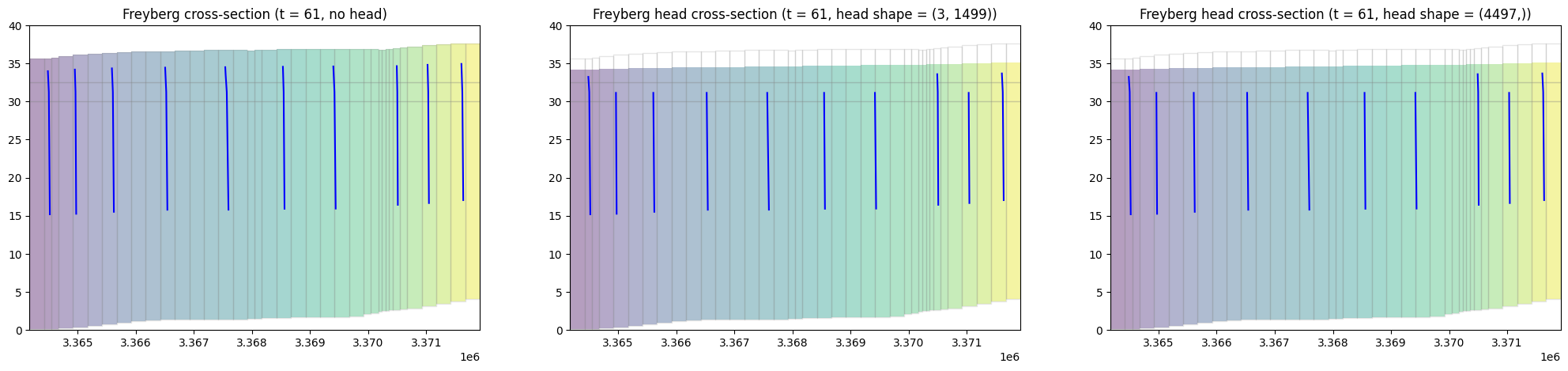
MODFLOW-USG: Discontinuous water table configuration over a stairway impervious base
MODFLOW-2005/MODFLOW-NWT examples

  • Flopy Drain Return (DRT) capabilities
  • Lake Package Example
  • Simple water-table solution with recharge
  • Postprocessing head results from MODFLOW
    • Load example model and head results
    • Plot heads in each layer; export the heads and head contours for viewing in a GIS
    • Compare rotated arc-ascii and GeoTiff output
    • Get the vertical head gradients between layers
    • Get the saturated thickness of a layer
    • Get the water table
    • Get layer transmissivities at arbitrary locations, accounting for the position of the water table
      • convert to transmissivity fractions
      • Layer 3 contributes almost no transmissivity because of its K-value
  • SFR package Prudic and others (2004) example
    • Problem description:
    • copy over the example files to the working directory
      • Load example dataset, skipping the SFR package
      • Read pre-prepared reach and segment data into numpy recarrays using numpy.genfromtxt()
      • Segment Data structure
      • define dataset 6e (channel flow data) for segment 1
      • define dataset 6d (channel geometry data) for segments 7 and 8
      • Define SFR package variables
      • Instantiate SFR package
      • Plot the SFR segments
      • Check the SFR dataset for errors
      • Load SFR formated water balance output into pandas dataframe using the SfrFile class
    • Plot streamflow and stream/aquifer interactions for a segment
      • Look at stage, model top, and streambed top
      • Get SFR leakage results from cell budget file
      • Plot leakage in plan view
      • Plot total streamflow
        • Reading transient SFR formatted output
      • plot a hydrograph
  • SWI2 Example 1. Rotating Interface
  • SWI2 Example 4. Upconing Below a Pumping Well in a Two-Aquifer Island System
  • Unsaturated Zone Flow (UZF) Package demo
    • Problem description:
      • Set up the gages (observation points)
        • Inspecting results
Flopy Drain Return (DRT) capabilities
Lake Package Example
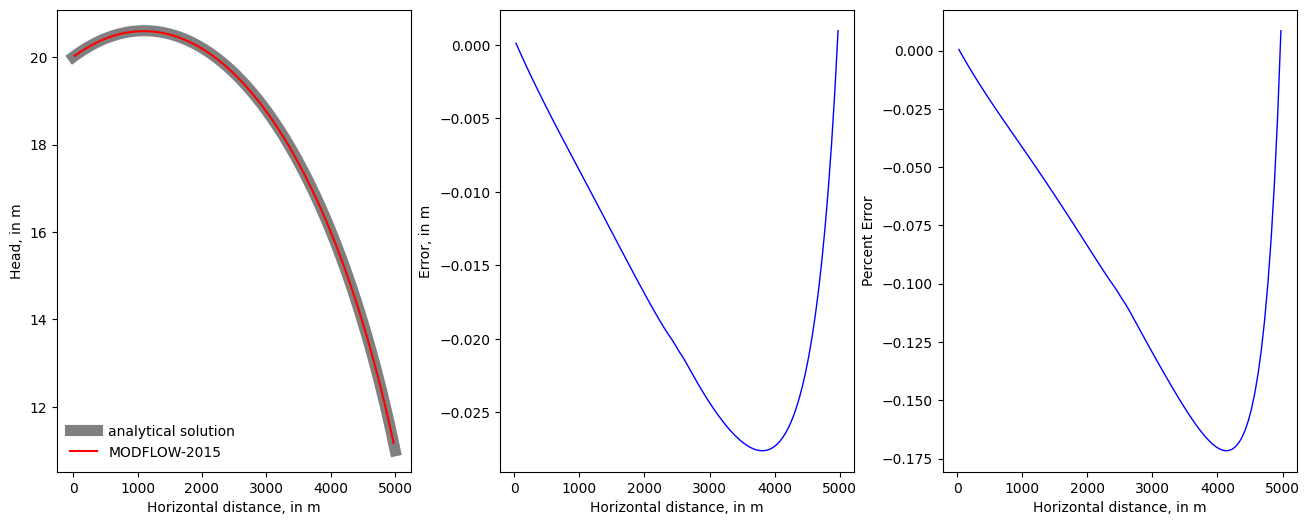
Simple water-table solution with recharge
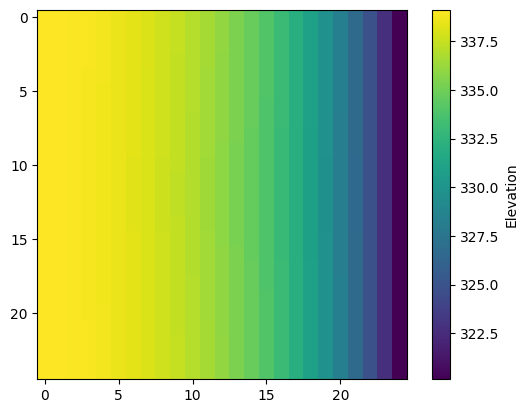
Postprocessing head results from MODFLOW
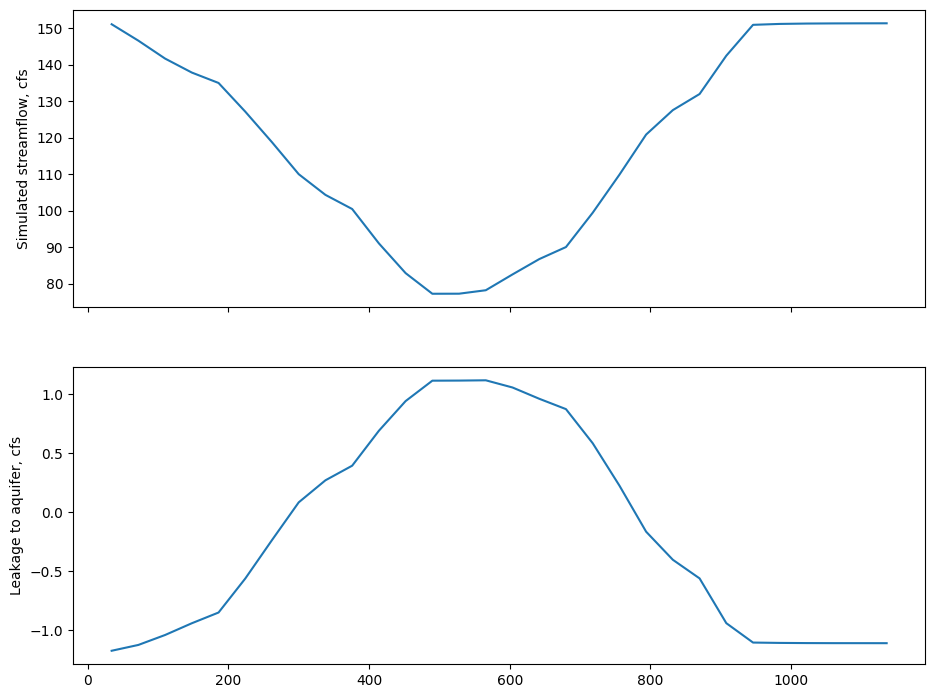
SFR package Prudic and others (2004) example
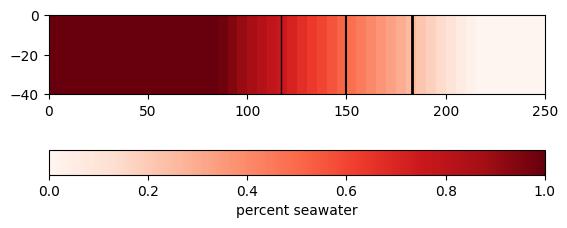
SWI2 Example 1. Rotating Interface
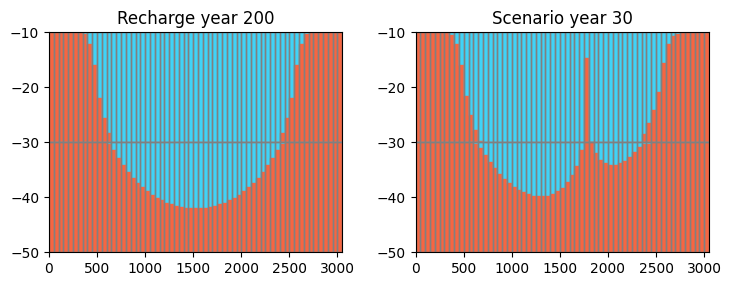
SWI2 Example 4. Upconing Below a Pumping Well in a Two-Aquifer Island System
Unsaturated Zone Flow (UZF) Package demo

MODPATH examples

  • Working with MODPATH 6
  • Creating a MODPATH 7 simulation
    • Flow model data
    • MODPATH 7 using MODFLOW 6
      • Create and run MODFLOW 6
      • Create and run MODPATH 7
      • Load and Plot MODPATH 7 output
        • Forward Tracking
        • Backward tracking
  • Using MODPATH 7 with structured grids
    • Flow model data
    • MODPATH 7 data
    • MODPATH 7 using MODFLOW-2005
      • Create and run MODFLOW-2005
      • Create and run MODPATH 7
      • Load MODPATH 7 output
      • Plot MODPATH 7 output
    • MODPATH 7 using MODFLOW 6
      • Create and run MODFLOW 6
      • Create and run MODPATH 7
      • Load MODPATH 7 output
    • Plot MODPATH 7 output
    • Compare MODPATH results
  • Using MODPATH 7 with structured grids (transient example)
    • Setting up the simulation
    • Running the simulation
    • Inspecting results
  • Using MODPATH 7 with a DISV unstructured model
    • Part I. Setup Notebook
    • Part II. Gridgen Creation of Model Grid
    • Part III. Create the Flopy Model
    • Part IV. Run the MODFLOW 6 Model
    • Part V. Import and Plot the Results
    • Part VI. Create the Flopy MODPATH7 Models
  • Using MODPATH 7: DISV quadpatch example
    • Grid creation/refinement
    • Groundwater flow model
    • Particle tracking
  • FloPy VTK/PyVista particle tracking pathline visualization demo
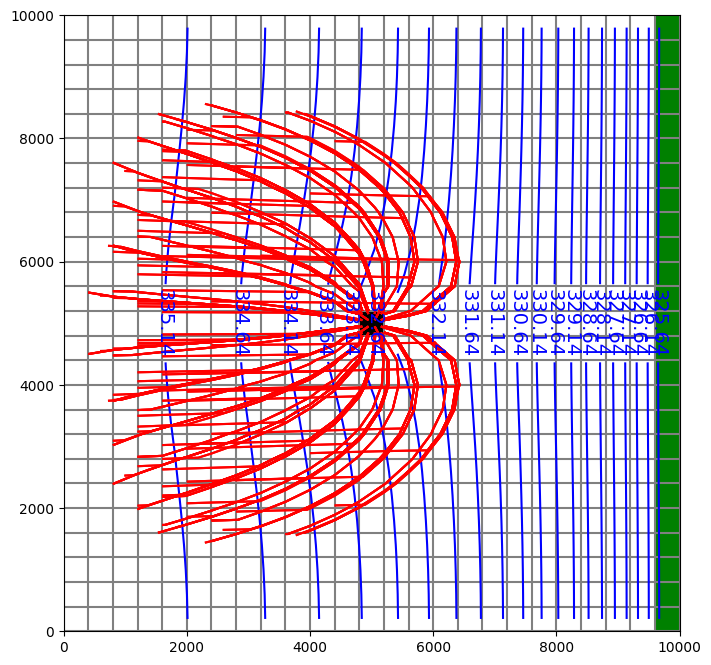
Working with MODPATH 6
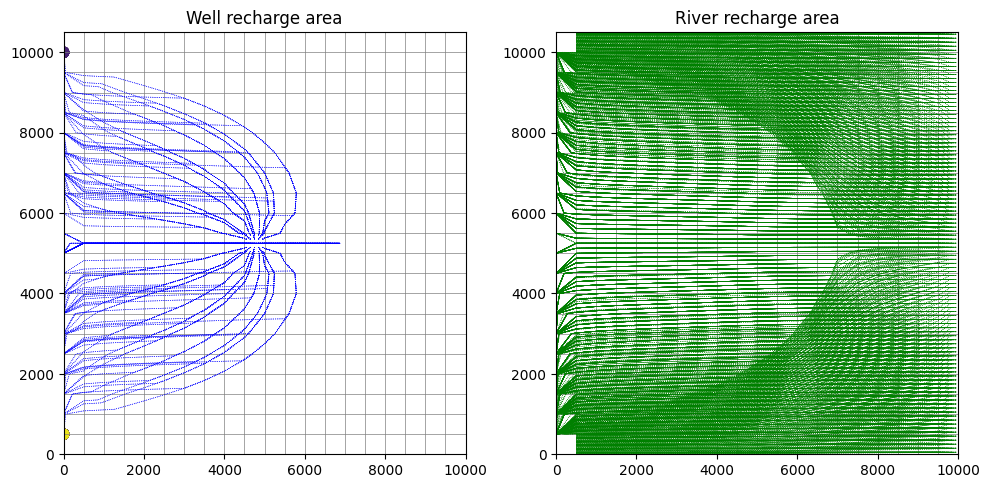
Creating a MODPATH 7 simulation
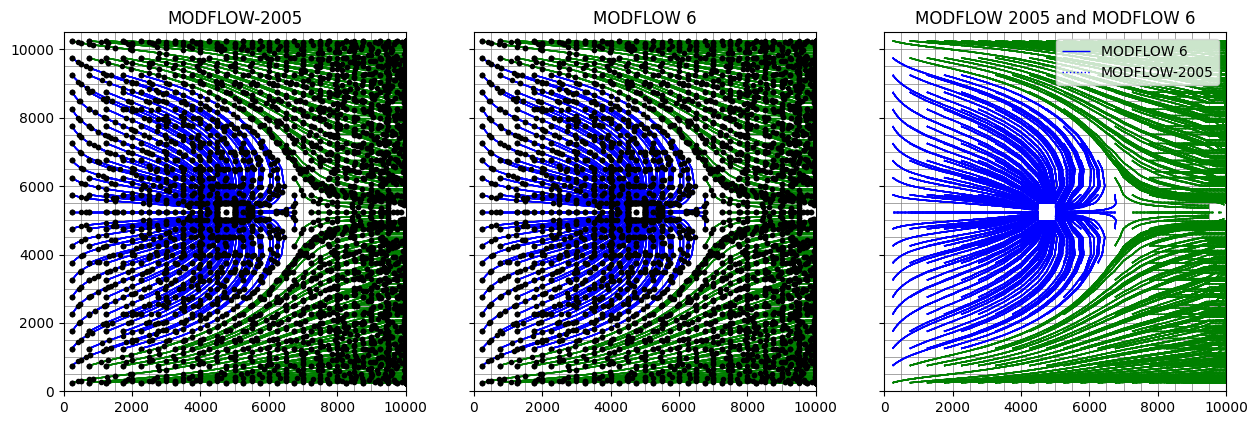
Using MODPATH 7 with structured grids
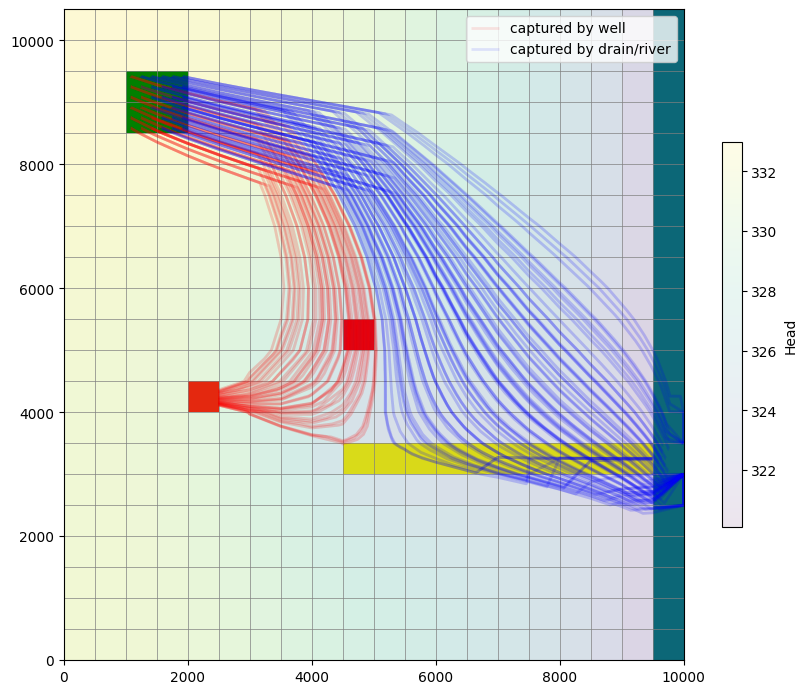
Using MODPATH 7 with structured grids (transient example)
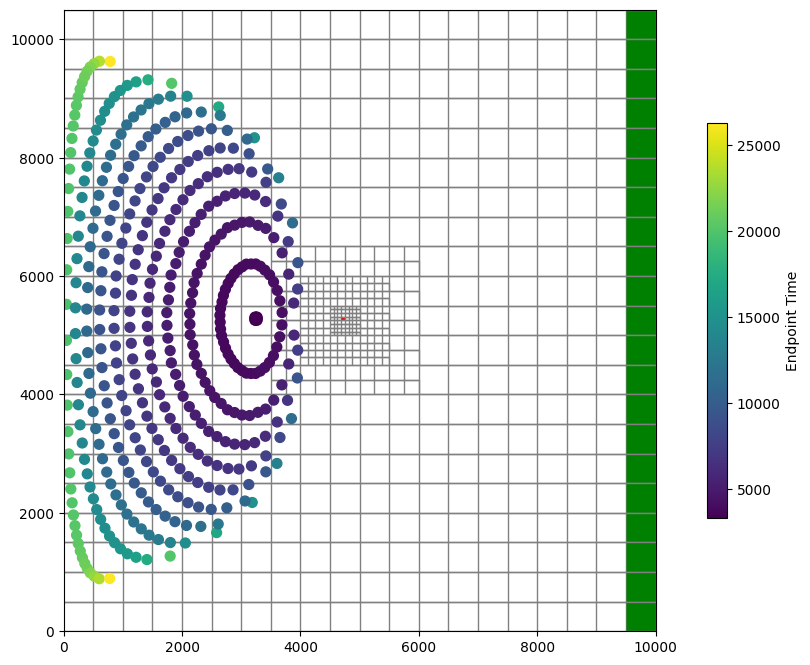
Using MODPATH 7 with a DISV unstructured model
Using MODPATH 7: DISV quadpatch example
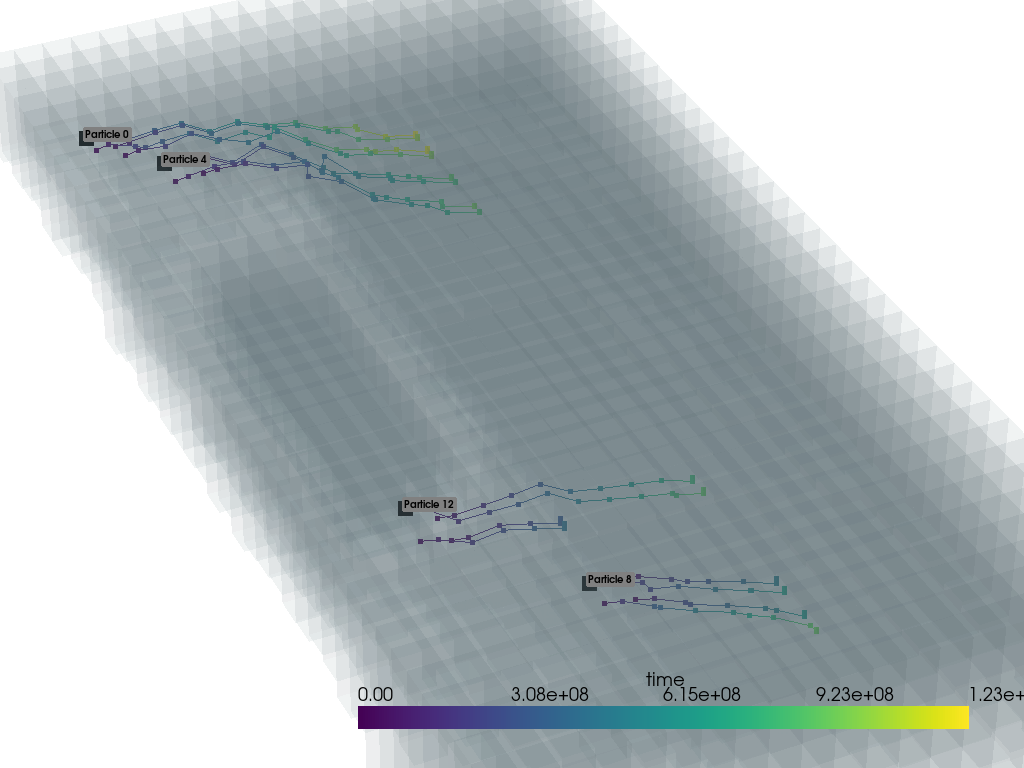
FloPy VTK/PyVista particle tracking pathline visualization demo

MT3D and SEAWAT examples

  • MT3D-USGS Example
    • Problem description:
      • Compare mt3d-usgs results to an analytical solution
  • MT3DMS Example Problems
    • Example 1. One-Dimensional Transport in a Uniform Flow Field
    • Example 2. One-Dimensional Transport with Nonlinear or Nonequilibrium Sorption
    • Example 3. Two-Dimensional Transport in a Uniform Flow Field
    • Example 4. Two-Dimensional Transport in a Diagonal Flow Field
    • Example 5. Two-Dimensional Transport in a Radial Flow Field
    • Example 6. Concentration at an Injection/Extraction Well
    • Example 7. Three-Dimensional Transport in a Uniform Flow Field
    • Example 8. Two-Dimensional, Vertical Transport in a Heterogeneous Aquifer
    • Example 9. Two-Dimensional Application Example
    • Example 10. Three-Dimensional Field Case Study
MT3D-USGS Example
MT3DMS Example Problems

Examples from Bakker and others (2016)

  • Basic Flopy example
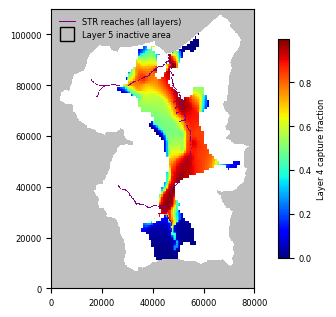
  • Capture fraction example
Basic Flopy example
Capture fraction example

Examples from Hughes and others (2023)

  • Watershed geoprocessing example
    • Structured Grids
      • Structured grid with constant row and column spacing
      • Structured grid with variable row and column spacing
      • Local grid refinement grid
    • Unstructured grids
      • Quadtree grid
      • Triangular grid
      • Voronoi Grid from the Triangle object
    • Plot all six grids
      • Create a polyline for Local Grid Refinement area
      • Plot the grids
      • Plot the river intersection for the six grids
Watershed geoprocessing example

Miscellaneous examples

  • Henry Saltwater Intrusion Problem
    • Change the format of several arrays and rerun the model
  • ZoneBudget Example
    • Read File Containing Zones
    • Extract Budget Information from ZoneBudget Object
    • Convert Units
    • Alias Names
    • Return the Budgets as a Pandas DataFrame
    • Write Budget Output to CSV
    • Net Budget
    • Plot Budget Components
      • Zonebudget for Modflow 6 (ZoneBudget6)
    • Use the the .output model attribute to create a zonebudget model
    • Getting the zonebudget output
Henry Saltwater Intrusion Problem
ZoneBudget Example
Previous Next

Revision 1f068750.

Built with Sphinx using a theme provided by Read the Docs.